How to Write Discussion Board Posts That Sound Like You
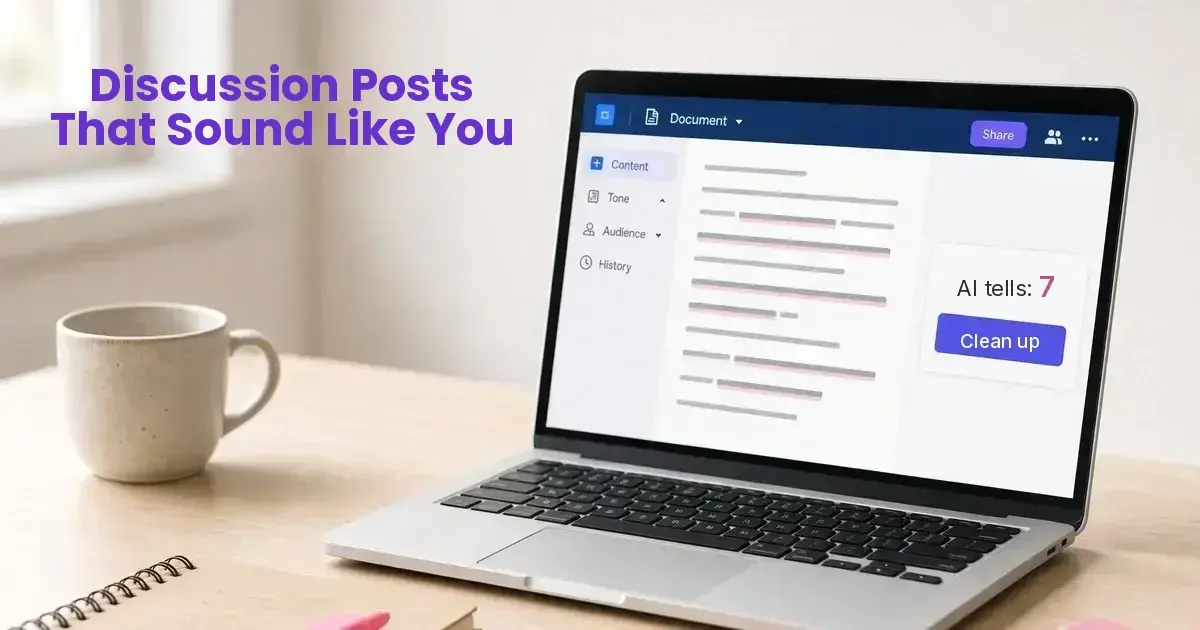
The edits that make a discussion board post read like you: a real opening claim, a specific line from the reading, uneven rhythm, and replies to classmates that say something.
- Free scan, no sign up
- Runs in your browser
- Hidden character check
- Keeps your own ideas
Forgot your code?
Discussion board posts sound like you when they open with your actual take, point to a specific line in the reading, and talk to classmates the way you would in the room. Generic posts restate the prompt, summarize the text and close on a safe verdict. Write your point first, in your own words, then edit for rhythm and specifics. A tool can help you spot stiff lines, but it can't supply the idea.
Why So Many Discussion Board Posts Sound the Same
A discussion post has an odd job. It has to show you did the reading, prove you thought about it, and fit in a few hundred words that a classmate might actually read. That pressure pushes people toward stiff, memo-like writing.
Then a second problem shows up. When the draft reads flat, the instinct is to ask a chatbot to "make it sound more human." The model doesn't know how you talk in class or what bugged you about chapter four. So it guesses. Its guess usually adds casual words on top of the same rigid structure, and sometimes an emoji.
The sameness rarely comes from one bad word. It comes from every sentence doing the same amount of work. Each paragraph opens with a transition, makes a balanced point and lands on a tidy conclusion. Nothing runs long. Nothing is a little awkward. Your instructor has probably read plenty of posts shaped like that, and so have your classmates.
A quick note on rules: if your course allows AI help for brainstorming or editing, use it the way the syllabus says and disclose it where you're asked to. Everything below assumes the ideas in the post are yours.
Write Your Point Before You Open Anything
Start with one clumsy sentence that states a take. Something like: "The author's argument about incentives falls apart in section two because the example doesn't match the claim." It's not elegant. It is clearly yours, and the rest of the post can be built around it.
If you can't write that sentence, you're not ready to post. Reread the section the prompt points to, or reread the prompt itself. The blank page is telling you something.
Order matters more than tools. If a chatbot produces the idea, the post will sound like the chatbot no matter how much you edit afterward.
The Opening Line Gives the Post Away
Generic openers do more damage than any other sentence. These are the common ones:
- Restating the prompt: "This week's reading explores an important question about power."
- Announcing a plan: "In this post, I will discuss three key themes."
- Praising the reading in general terms: "This was a fascinating article that raises important questions."
Each one tells the reader nobody in particular is home. A direct opener names the question that bothered you and why. "I expected Chen to defend the policy, so the turn on page 12 caught me off guard" commits to something. Commitment is what makes a sentence sound like it came from a person.
Write the first sentence last. Most people discover their real point in the third paragraph, which leaves the opener stranded.
React to the Reading Instead of Summarizing It
Summary is the safest move on a discussion board and the most forgettable. If a paragraph could have been written by someone who only read the title, cut it down to one sentence.
Point to a specific claim instead. Say what you expected the author to argue and where the text went somewhere else. Say which example convinced you and which felt thin. Quote a short line and give the page number if your instructor wants citations in posts.
Open every source before you cite it, especially if a chatbot suggested it. OpenAI's own help page says ChatGPT can make up quotes or citations and warns against using it as your only source for research. A made-up quote in a discussion thread is visible to the whole class.
Replies to Classmates Need a Voice Too
If your assignment asks for replies to classmates, those are where generated text is easiest to spot. "Great post! I really appreciate your insights on this topic" could answer anyone's post about anything. Classmates notice.
A reply that sounds like you does one of these things:
- Picks one sentence from their post and pushes on it.
- Adds an example from your own experience or another reading.
- Disagrees with one part, politely and specifically.
- Asks a question you actually want answered.
Use their name. Refer to what they wrote, not to "your post" in general. Two or three sentences with a real point beat a polished paragraph of praise.
Fix the Rhythm Before the Words
Swapping synonyms barely changes how a post reads, because the rhythm stays the same. Human prose is uneven. A twelve-word sentence sits next to a four-word one. Our guide to AI sentence rhythm explains why even pacing stands out, so here's the short version for posts:
- Read the post out loud. Any sentence you can't finish in one breath is probably too long.
- Check whether every paragraph is about the same size. If so, split one or merge two.
- Find a sentence that hedges twice and cut one hedge.
- Look for repeated sentence starters and change two of them.
- Scan for the phrases on our AI words to avoid list and say the plain version.
None of these change your argument. They change how it feels to read.
Leave a Few Rough Edges
Over-polished writing reads as assembled. Contractions help. So does admitting uncertainty in one spot instead of hedging every claim. A short, blunt sentence after a long careful one does more for voice than any flourish.
Don't swing too far, though. Sprinkling slang or exclamation points onto a stiff draft reads like a costume. Plain and specific is the goal, not casual.
A Five-Minute Pass Before You Hit Post
- Read the first sentence. If it only sets up a claim, rewrite it so it makes one.
- Delete any sentence that exists only to transition into the next one.
- Move your best idea earlier. Strong discussion board posts don't save the point for the end.
- Check that you named at least one specific passage, example or page.
- Open every source you cited and confirm the quote is really there.
- Add one sentence that only someone in your class, having read this exact text, could write.
- If you drafted somewhere else and pasted it in, check for stray formatting or hidden characters that came along.
Step six is the one people skip. It matters most, because a model has to guess at specifics you already know.
Where a Scanner Fits
A scan is a reasonable last step. Remove AI Tells highlights lines that read like AI and explains why, suggests rewrites that keep your meaning, strips invisible characters and flags hidden instructions in pasted text. It doesn't promise any detector result, and no honest tool can.
Detectors can flag writing a person wrote, too. If that happens to you, our page on AI detector false positives explains why it happens. When your draft is ready, paste it into the free scanner above and look at what it highlights.
More guides for students
Frequently Asked Questions
Does one awkward sentence make my post sound like AI?
No. Readers respond to patterns across a whole post, not single lines. One stiff sentence is normal in anyone's writing. What stands out is sameness: every paragraph the same length, every claim hedged, every transition alike.
How do I sound like myself without sounding unprofessional?
Write like you're talking to a sharp classmate, not performing for a grade. Contractions, direct claims and one honest admission of uncertainty all read as professional. Vague filler is what makes a post sound sloppy, not plain language.
Can I use AI to help with discussion board posts?
That depends on your course policy, so check the syllabus before you draft. Where it's allowed, AI tends to help most with brainstorming or tightening a draft you already wrote. Disclose that help if your instructor asks for it.
How long should a reply to a classmate be?
Follow the length your instructor sets. Without a rule, two to five sentences with one real point usually beats a long paragraph of agreement. Respond to something specific they wrote so the reply couldn't fit under anyone else's post.
What if I have nothing interesting to say about the reading?
Start smaller than an argument. Pick one sentence that surprised you, annoyed you or seemed to contradict something earlier, and write three sentences about why. Interest usually shows up once you start writing about a specific line.